Helping Meet Accessibility Standards

ODL offers a variety of workshops to help faculty and staff meet federal accessibility standards for digital course content.
Register Now about Lorem Ipsum
The Office of Digital Learning (ODL) provides in-person accessibility training for all FSU faculty and staff on the fundamentals of accessible course design and working with Word, PowerPoint, and PDFs. With an extension of the DOJ compliance deadline to April 2027, fall is a good time to address accessibility issues with course content in Canvas.
Accessible Course Design | This 90-minute workshop covers the fundamentals of accessible course design, including Canvas accessibility tools and best practices for creating accessible Canvas pages, videos, Word documents, PowerPoint presentations, and PDFs.
Introduction to PDF Accessibility | This 90-minute workshop focuses on using Adobe Acrobat’s accessibility checker to identify and fix accessibility issues. You’ll learn how to tag a document and use optical character recognition to convert scanned documents into searchable text.
Advanced PDF Accessibility | This 90-minute hands-on workshop builds on the skills presented in the introductory workshop, focusing on remediating complex accessibility issues in Adobe Acrobat. Participants will learn how to identify and correct accessibility issues related to tables, lists, footnotes, and bookmarks.
Word & PowerPoint Accessibility | This 60-minute workshop provides a deep dive into using the Accessibility Assistant in Microsoft Word and PowerPoint. Topics include applying heading styles, setting reading order, and formatting accessible tables.
Because the sessions are interactive, please remember to bring a laptop. Visit the Making Course Content Accessible page for additional resources, including access to the Course Content Accessibility site in Canvas.
DesignPLUS Training
In addition to accessibility training, ODL offers hands-on, virtual workshops on DesignPLUS, a tool that helps instructors build and style courses in Canvas. Introductory sessions demonstrate how to use the QuickStart Wizard to access FSU-themed course templates for easy page design in Canvas. Advanced sessions build on your knowledge of basic DesignPLUS functions by providing a deeper dive into features such as interactive flashcards, columns, and tables.
How to Register
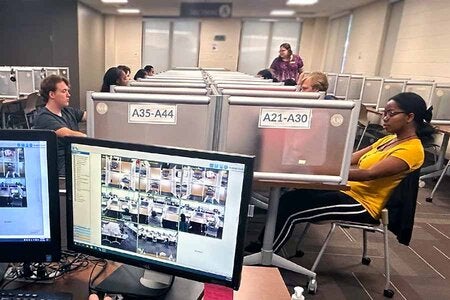
To register for any of the above training sessions, visit the Consultations & Workshops page. In-person workshops are held in the ODL Faculty Development Lab.